In 2025, Telegram has established itself as one of the most powerful and secure communication platforms in the world. With over a billion active users, Telegram is no longer just a messaging app — it’s an entire ecosystem that combines private chats, communities, channels, file sharing, automation tools, and even monetization features.
Whether you’re an individual looking for a better messaging experience, a business wanting to reach customers, or a creator aiming to build an audience, Telegram in 2025 offers everything you need in one place.
This detailed guide will teach you how to use Telegram in 2025, covering everything from account setup to managing groups, using bots, exploring new features like Telegram Premium, and even earning through channels.
2. What Is Telegram?
Telegram is a cloud-based instant messaging application founded by Pavel Durov in 2013. It is known for its speed, privacy, and versatility. Unlike traditional messaging apps, Telegram stores all your messages and media securely on the cloud, allowing you to access your data from multiple devices simultaneously.
Telegram’s most popular features include:
- End-to-end encrypted secret chats
- Unlimited cloud storage for messages and media
- Groups that can host up to 200,000 members
- Channels for broadcasting messages to unlimited subscribers
- Bots for automation, games, and utilities
- Telegram Premium for extra features like 4GB file uploads, faster downloads, and advanced tools
In 2025, Telegram continues to innovate with AI-powered message summaries, custom bots, enhanced privacy settings, and monetization for channel owners.
3. Telegram in 2025: What’s New
The 2025 version of Telegram has introduced several new features that make it more advanced and user-friendly:
- AI Integration: Telegram now uses AI to summarize long messages, suggest replies, and improve spam detection.
- Improved Channel Monetization: Creators can now earn from ads or paid subscriptions directly within Telegram.
- Telegram Business Accounts: Businesses can set up official pages with product catalogs, automated bots, and customer chat systems.
- Video Stories and Livestreaming: Users can post temporary stories and go live with unlimited viewers.
- Enhanced Privacy: You can now hide your phone number entirely, even from contacts, and use usernames only.
- Cross-platform Sync: Messages, contacts, and media sync instantly across all devices, including the Telegram Web 2.0 interface.
These improvements make Telegram 2025 one of the most powerful communication tools available today.
4. How to Download and Install Telegram
A. On Android
- Open the Google Play Store.
- Search for “Telegram”.
- Select the official app by Telegram FZ-LLC.
- Tap Install.
- Once installed, open the app and tap Start Messaging.
B. On iPhone (iOS)
- Open the App Store.
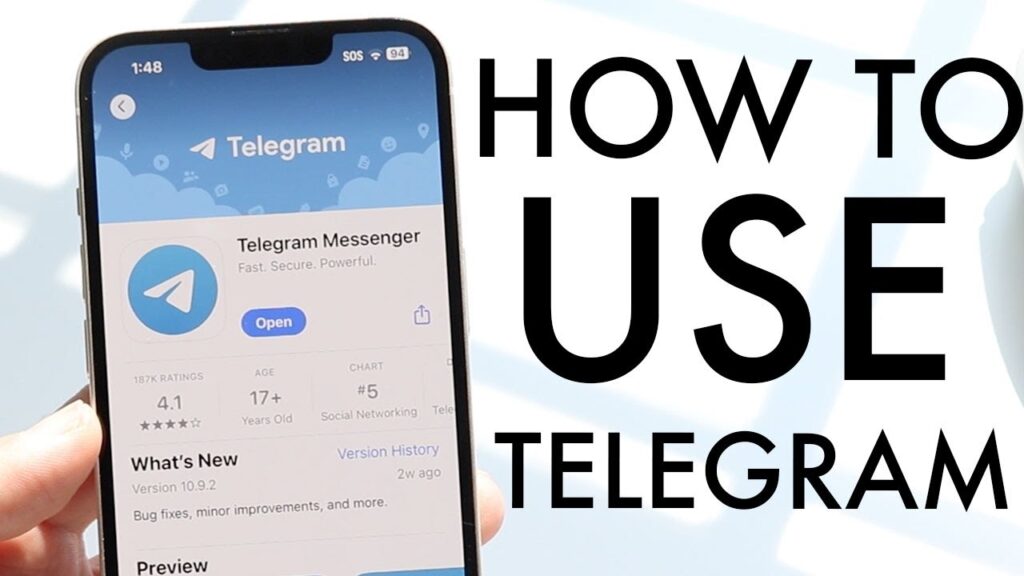
- Search for “Telegram Messenger”.
- Download the app by Telegram FZ-LLC.
- Launch the app and tap Start Messaging.
C. On Desktop (Windows/Mac/Linux)
- Visit https://desktop.telegram.org.
- Download the version suitable for your operating system.
- Install and open the application.
- Scan the QR code using your mobile Telegram app to log in.
D. On Web
- Go to https://web.telegram.org.
- Log in using your phone number and verification code.
Telegram automatically syncs all your chats across devices using cloud storage.
5. Creating Your Telegram Account
- Open Telegram on your phone or desktop.
- Tap Start Messaging.
- Enter your phone number.
- Telegram will send a verification code via SMS or Telegram itself.
- Enter the code to verify your account.
- Set your first name, last name, and optionally upload a profile picture.
Once your account is active, you can immediately start chatting or join groups and channels.
6. Setting Up Your Profile
A professional and clear Telegram profile helps people recognize you or your brand.
Here’s how to customize it:
- Tap the Menu icon (☰) > Settings.
- Tap on your name or picture to edit profile.
- Add a profile photo or animated video avatar.
- Set a username (so others can find you without your number).
- Write a short bio (up to 70 characters).
- Set a custom emoji status (Premium feature).
Tip: If you’re a business or influencer, use your username consistently across all social media platforms.
7. Navigating the Telegram Interface
The Telegram interface in 2025 is clean and modern, designed for productivity.
Key sections include:
- Chats: All your private and group conversations.
- Contacts: List of Telegram users in your phonebook.
- Calls: Voice and video calls history.
- Saved Messages: A personal cloud space to store messages, links, and files.
- Folders (Premium feature): Organize chats by type — Work, Family, Channels, etc.
You can also pin important chats, archive old ones, and use message filters to find what you need faster.
8. Adjusting Privacy and Security Settings
Privacy is one of Telegram’s strongest advantages. Here’s how to protect your account:
- Go to Settings → Privacy and Security.
- Configure the following options:
- Phone Number: Choose who can see it (Everybody / My Contacts / Nobody).
- Last Seen & Online: Control who sees your activity status.
- Profile Photo: Hide it from strangers if you prefer.
- Forwarded Messages: Disable linking back to your account.
- Passcode Lock / Fingerprint Lock: Adds another layer of protection.
- Two-Step Verification: Protects your account with a password in addition to the SMS code.
Bonus Tip: You can view active sessions and log out of unknown devices for extra safety.
9. Customizing Telegram’s Appearance
Telegram lets you personalize your interface beautifully.
Go to Settings → Chat Settings to change:
- Theme: Choose from light, dark, or auto-switch mode.
- Chat Background: Upload any image or select from Telegram’s collection.
- Message Corners & Font Size: Adjust for readability.
- Animated Emoji & Reactions: Enable or disable animations.
Telegram also allows custom themes and color palettes, letting you design a unique interface for your brand or mood.
✅ You’ve now learned the essentials of setting up and customizing Telegram!
Next, we’ll move into Part 2, where we’ll explore:
- Chatting and media sharing
- Using secret chats
- Creating and managing groups
- Understanding channels
Would you like me to continue with Part 2 (Chats, Groups, and Channels) right now?